> ## Documentation Index
> Fetch the complete documentation index at: https://docs.garden.finance/llms.txt
> Use this file to discover all available pages before exploring further.
# Stake
> Step-by-step guide to staking SEED tokens and earning Bitcoin rewards through Garden protocol
Participate in the Garden protocol by staking [SEED](/home/governance/tokenomics). Staking unlocks revenue sharing and [governance](/home/governance/governance-process) power for you. If you are new, you can buy SEED [here](https://app.uniswap.org/swap?chain=arbitrum\&inputCurrency=NATIVE\&outputCurrency=0x86f65121804d2cdbef79f9f072d4e0c2eebabc08). This guide explains the staking process and the options available to you.
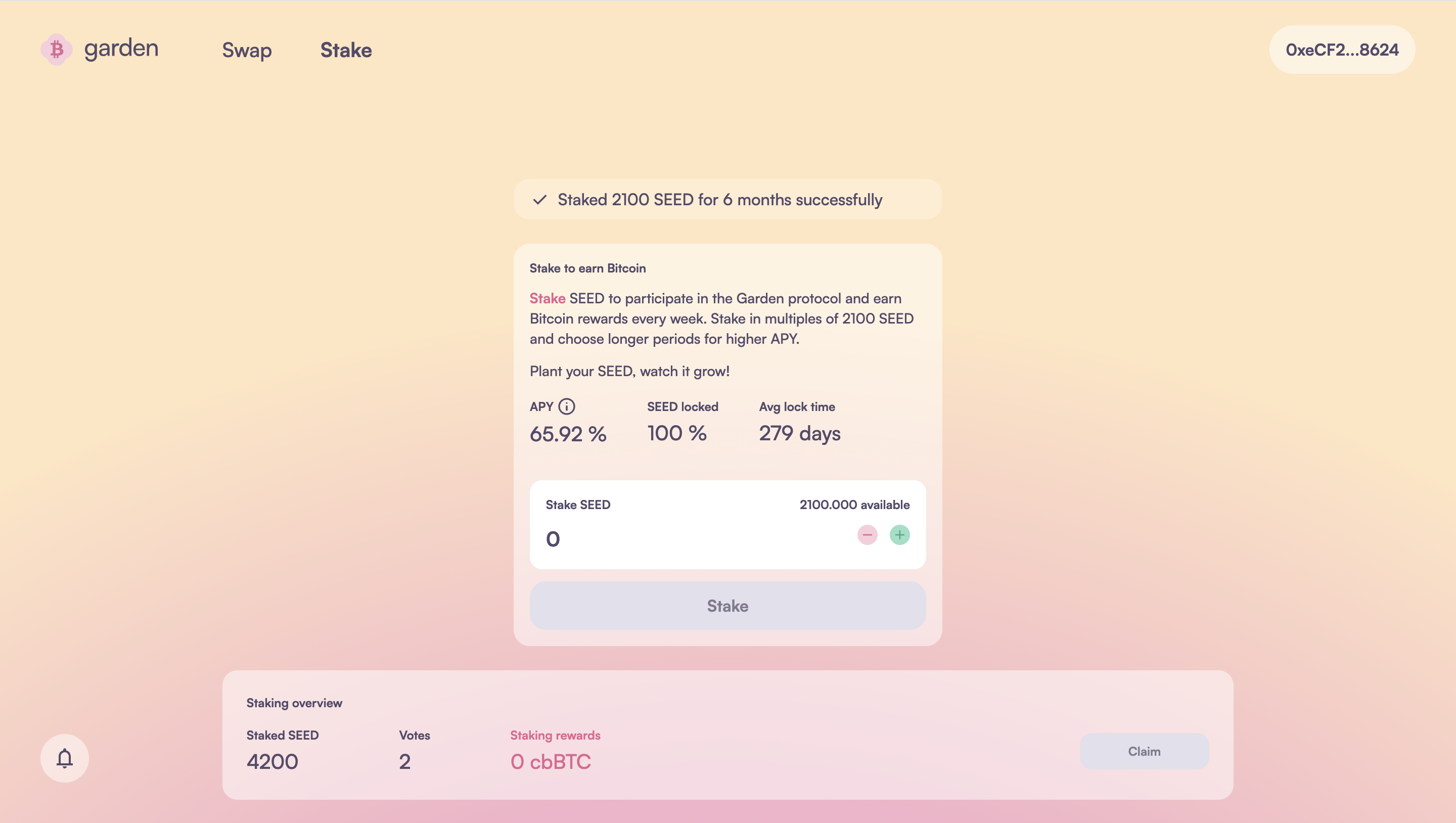
Open Garden's [staking](https://app.garden.finance/stake/) interface and connect your **EVM wallet**.
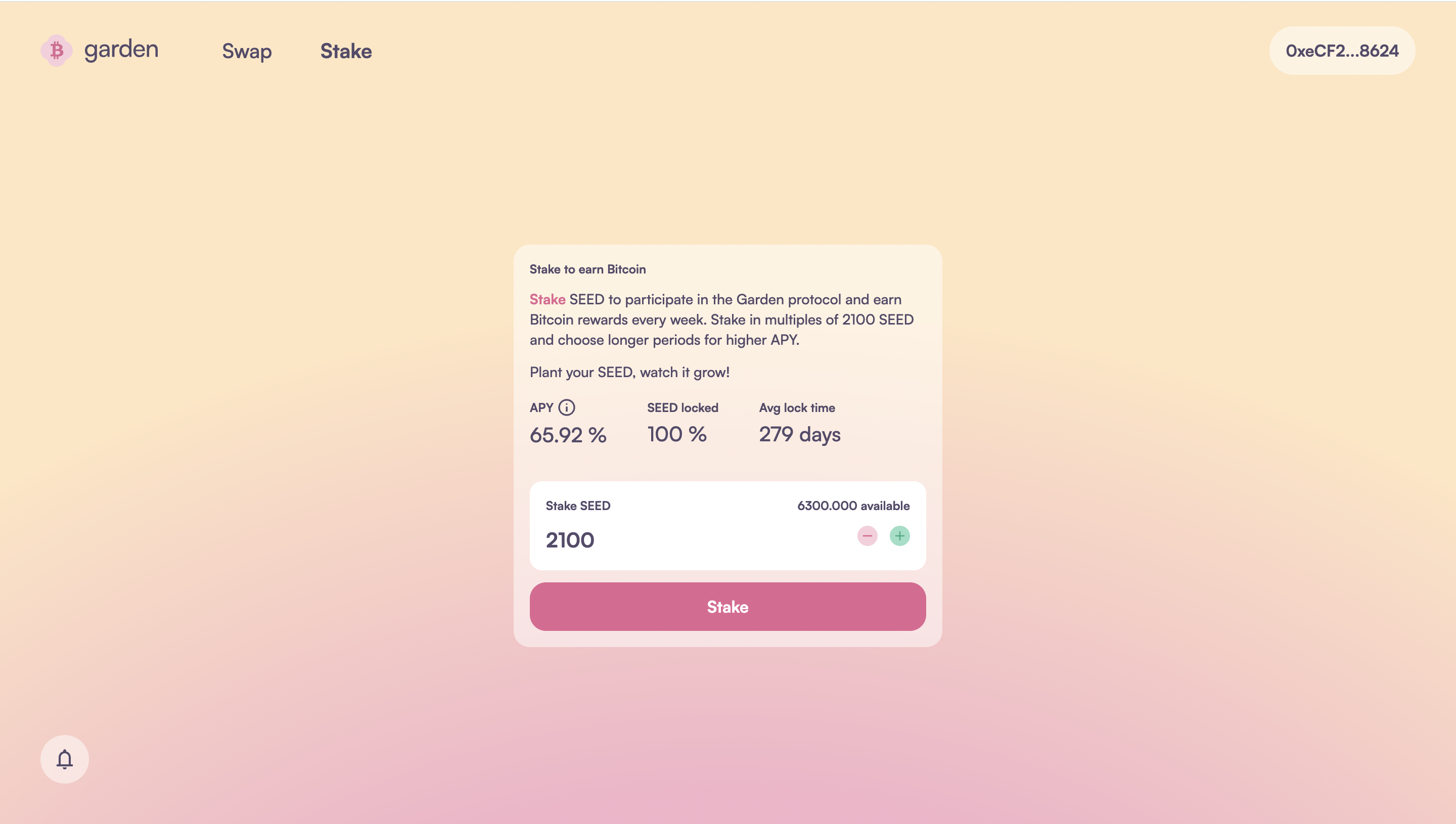
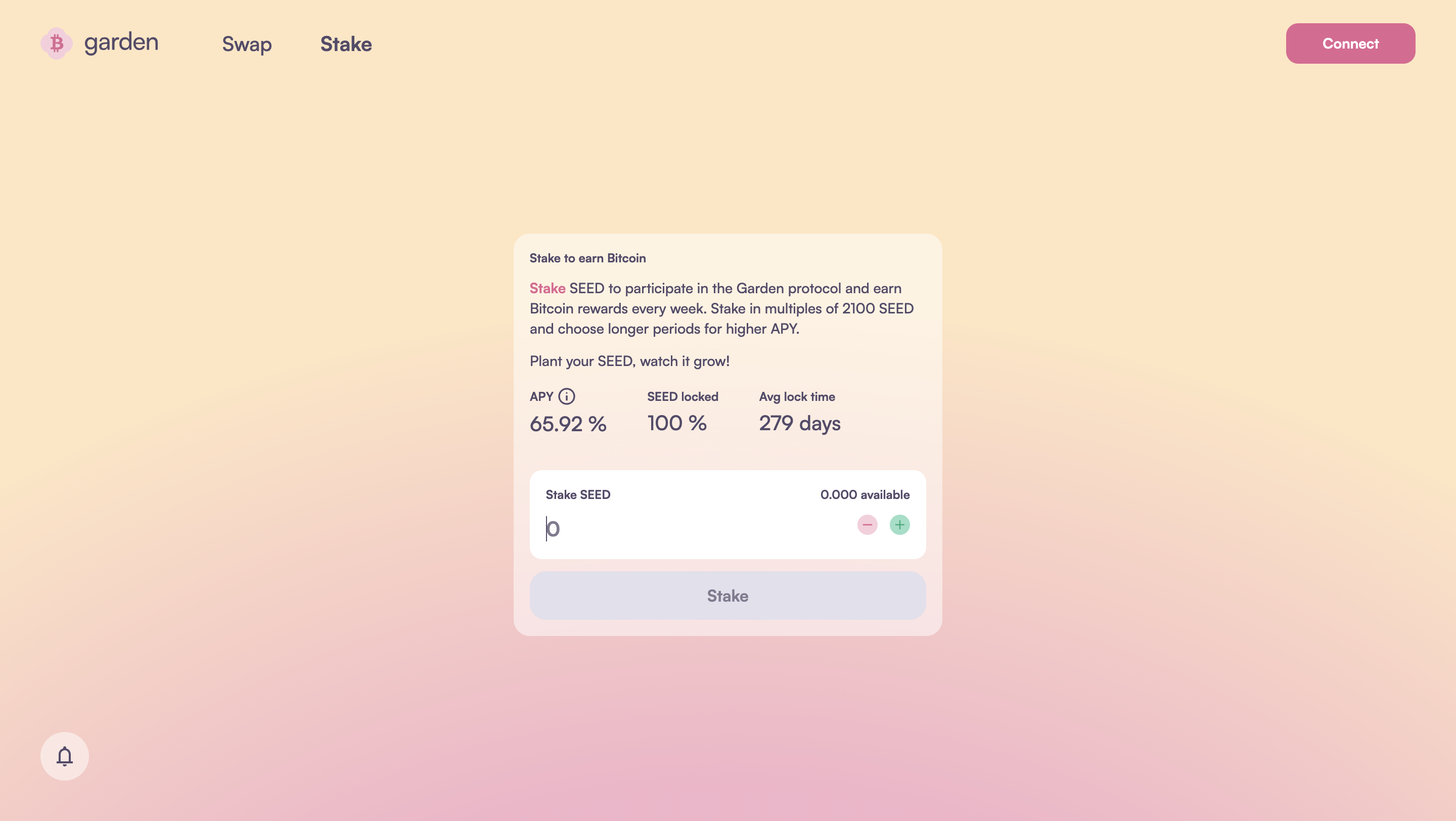 Staking positions are created in multiples of 2,100 SEED. Use the **+ / -** buttons to select how much SEED you want to stake, then click **Stake**.
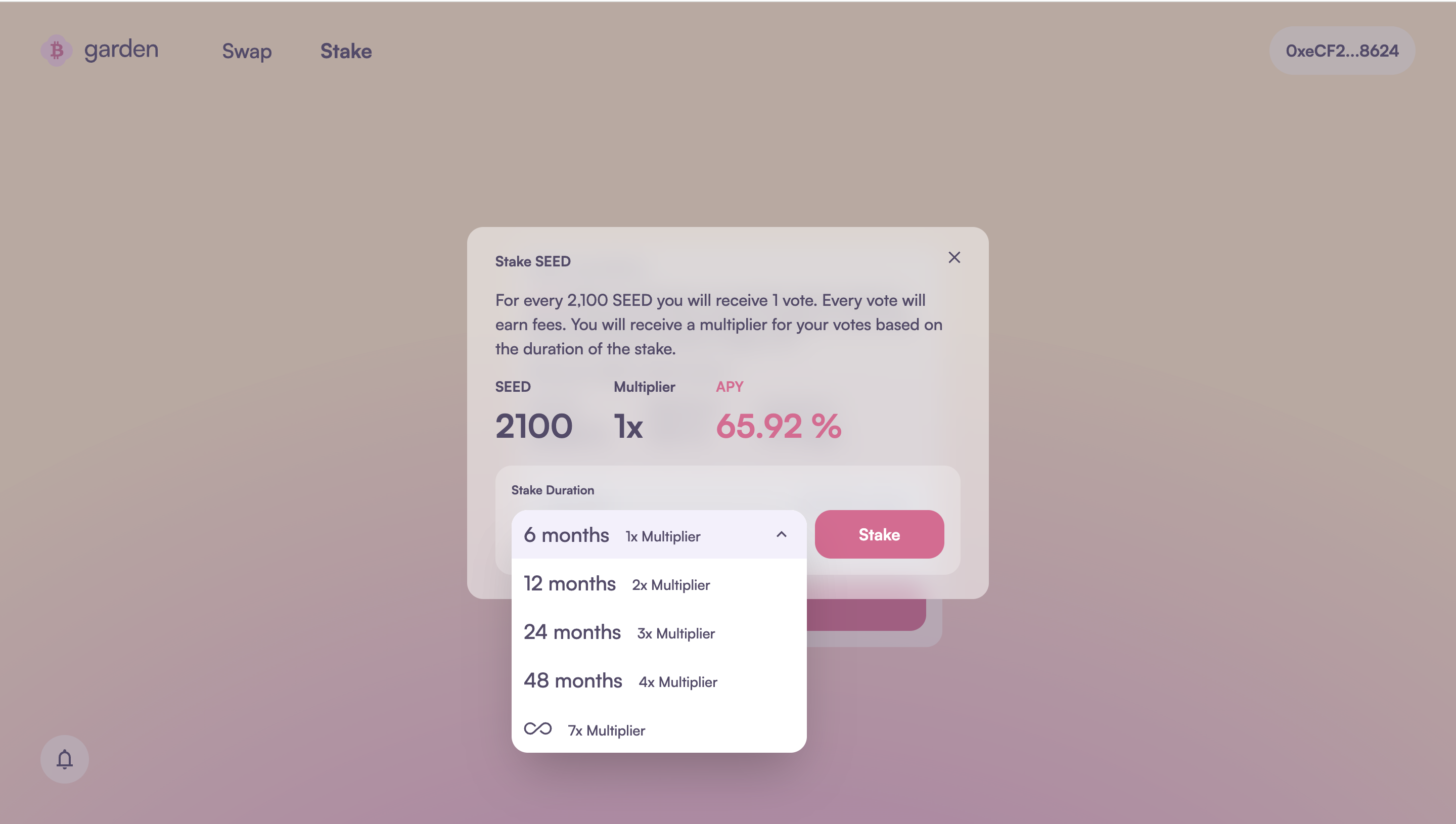
 Select your preferred **Staking duration** from the drop-down menu. The longer you stake, the higher your rewards, based on the [staking multiplier](/home/fundamentals/core-concepts/stakers#how-does-it-work).
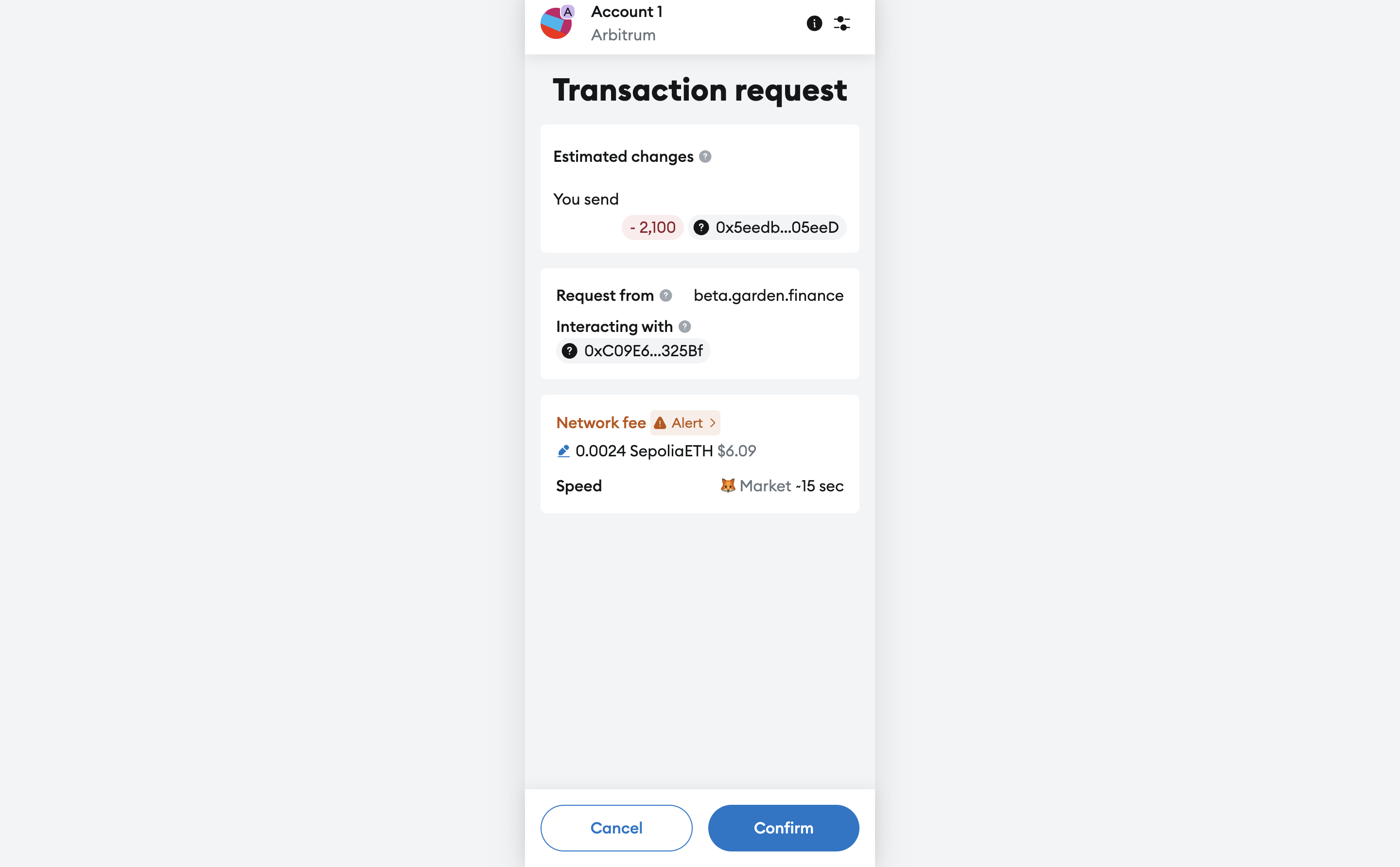
 Click **Stake** and approve the transaction in your EVM wallet.
 You'll receive a notification once the transaction is successful. Your rewards will start accumulating from the next cycle (week) after staking.
 ## Managing your stake
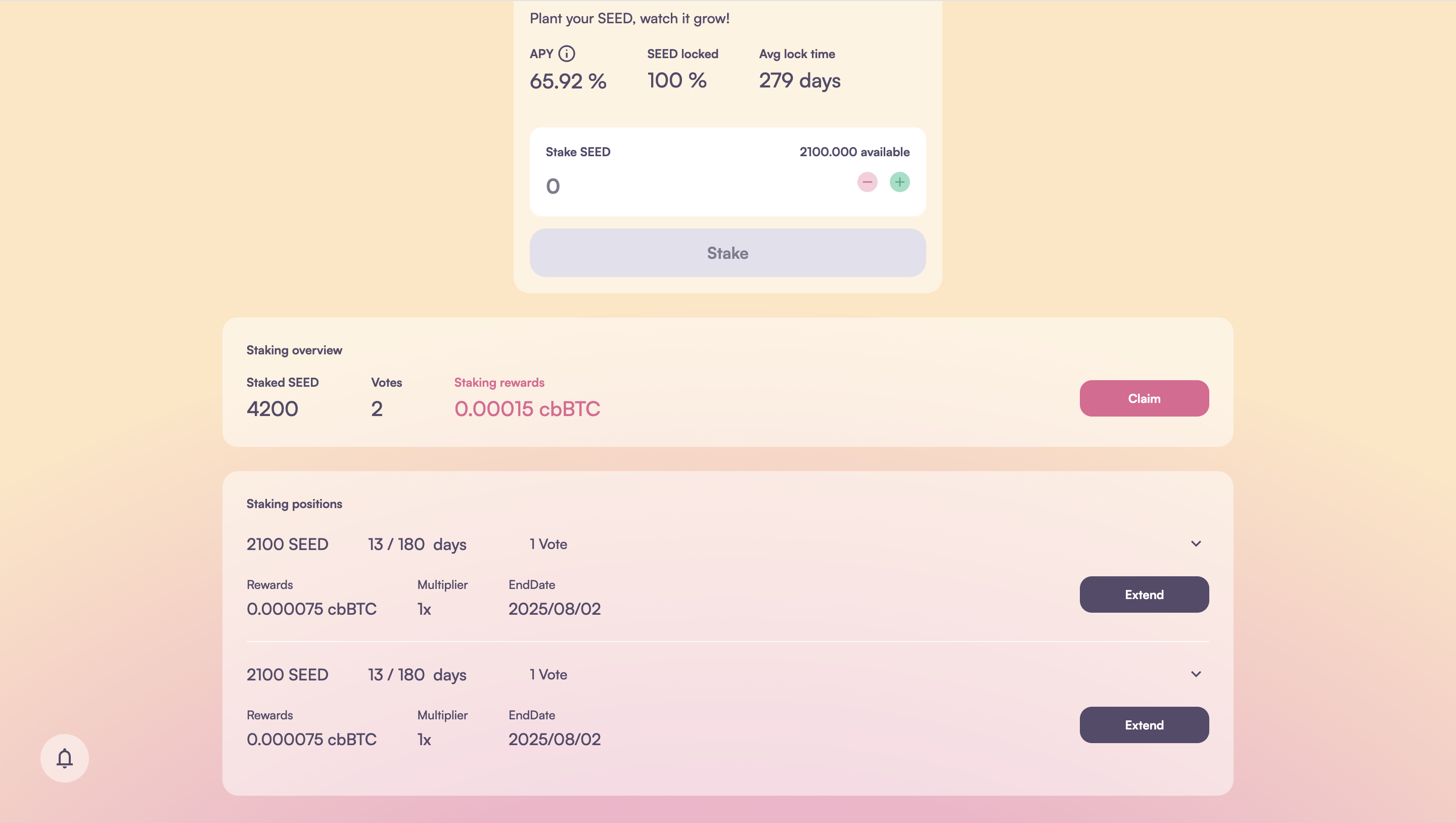 Summarizes your staking positions. Click **Claim** to withdraw your weekly Bitcoin rewards.
Provides a breakdown of individual stakes and includes the option to **Extend stake** duration.
If you have any questions about staking or encounter issues while staking or withdrawing rewards, drop a message in the [Townhall](https://discord.gg/B7RczEFuJ5)—our community will assist you promptly.
Summarizes your staking positions. Click **Claim** to withdraw your weekly Bitcoin rewards.
Provides a breakdown of individual stakes and includes the option to **Extend stake** duration.
If you have any questions about staking or encounter issues while staking or withdrawing rewards, drop a message in the [Townhall](https://discord.gg/B7RczEFuJ5)—our community will assist you promptly.