> ## Documentation Index
> Fetch the complete documentation index at: https://docs.garden.finance/llms.txt
> Use this file to discover all available pages before exploring further.
# How to swap BTC to any EVM asset
> Step-by-step guide to swapping Bitcoin for Wrapped Bitcoin (WBTC) on Ethereum / Arbitrum using Garden
Convert your native Bitcoin to Wrapped Bitcoin (WBTC) on Ethereum or Arbitrum networks. WBTC maintains a 1:1 peg with Bitcoin and can be used in DeFi protocols. The flow is same for BTC to any EVM based asset.
This guide covers swapping **Bitcoin (BTC)** to **Wrapped Bitcoin (WBTC)** on Ethereum or Arbitrum. The process takes approximately 30 seconds to complete.
## What You'll Need
* **EVM Wallet**: MetaMask, Coinbase Wallet, or other EVM-compatible wallet
* **Bitcoin Wallet**: Optional (you can swap without connecting)
* Bitcoin (BTC) in your Bitcoin wallet or ready to send manually
## Method 1: With Bitcoin Wallet Connected (Recommended)
This is the easiest method as Garden handles the Bitcoin transaction for you.
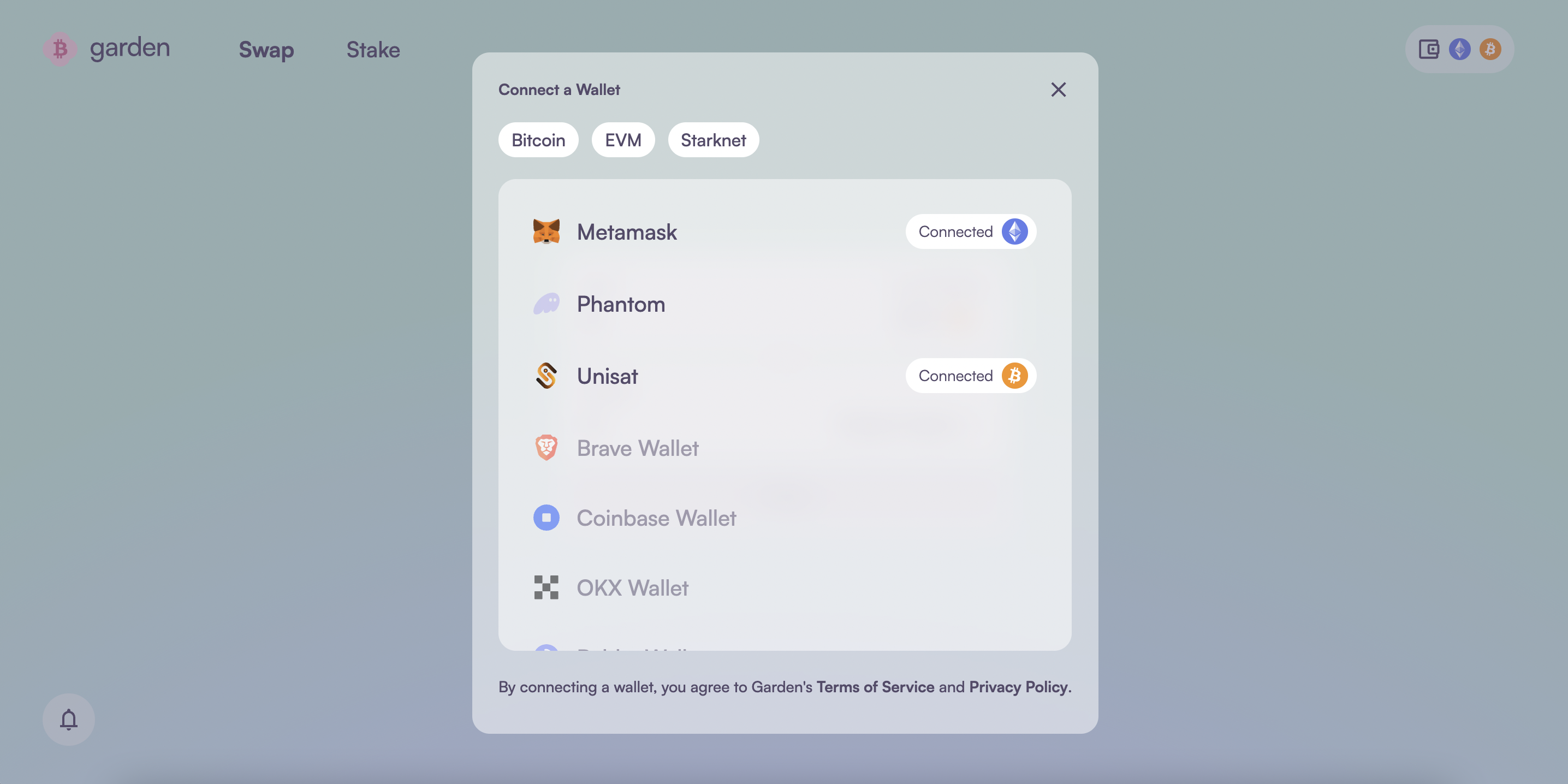
1. Visit [Garden Finance](https://app.garden.finance)
2. Click **Connect Wallet** and connect your **EVM wallet**
3. Click **Connect Bitcoin Wallet** and connect your Bitcoin wallet
 1. In the **Send** section, select **Bitcoin (BTC)**
2. In the **Receive** section, select **WBTC** and choose your preferred network:
* **Ethereum**: For use in Ethereum DeFi protocols
* **Arbitrum**: For lower fees and faster transactions
3. Enter the amount of BTC you want to swap
1. In the **Send** section, select **Bitcoin (BTC)**
2. In the **Receive** section, select **WBTC** and choose your preferred network:
* **Ethereum**: For use in Ethereum DeFi protocols
* **Arbitrum**: For lower fees and faster transactions
3. Enter the amount of BTC you want to swap
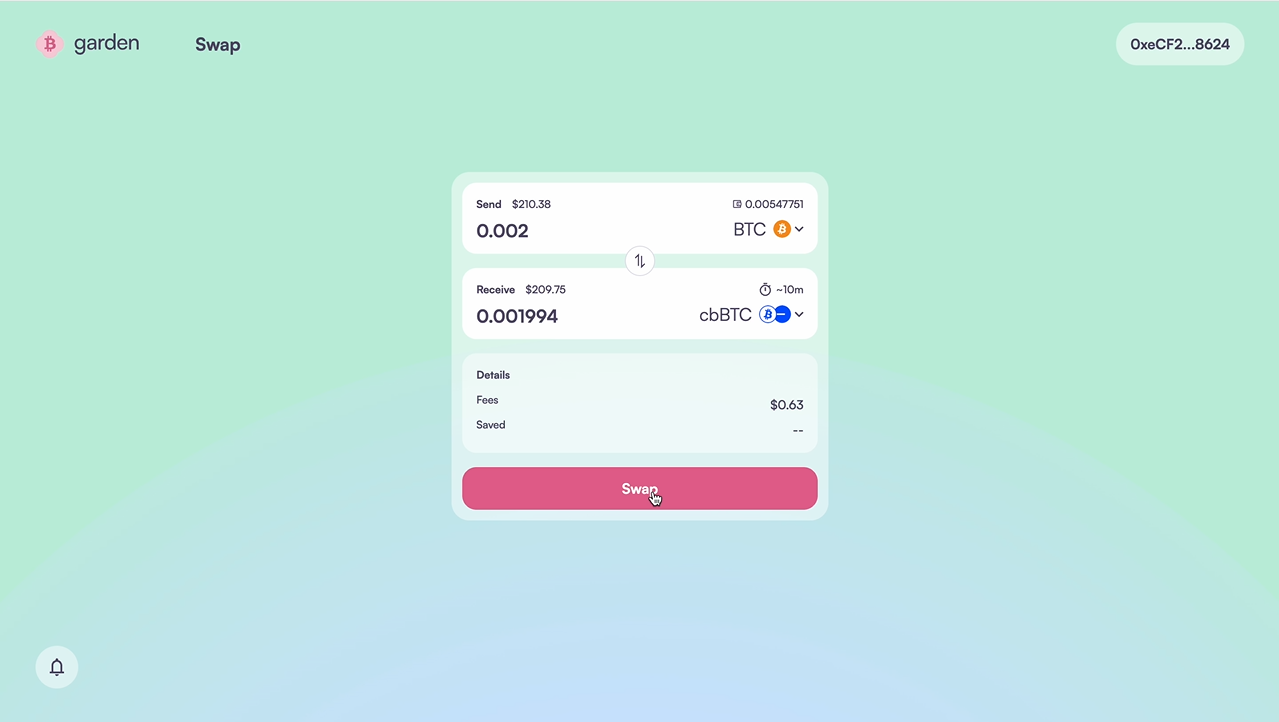 1. Review the swap details:
* **Exchange rate**: Current BTC to WBTC rate
* **Fees**: Network fees and Garden protocol fees
* **Estimated completion time**: Usually under 30 seconds
2. Click **Swap** to proceed
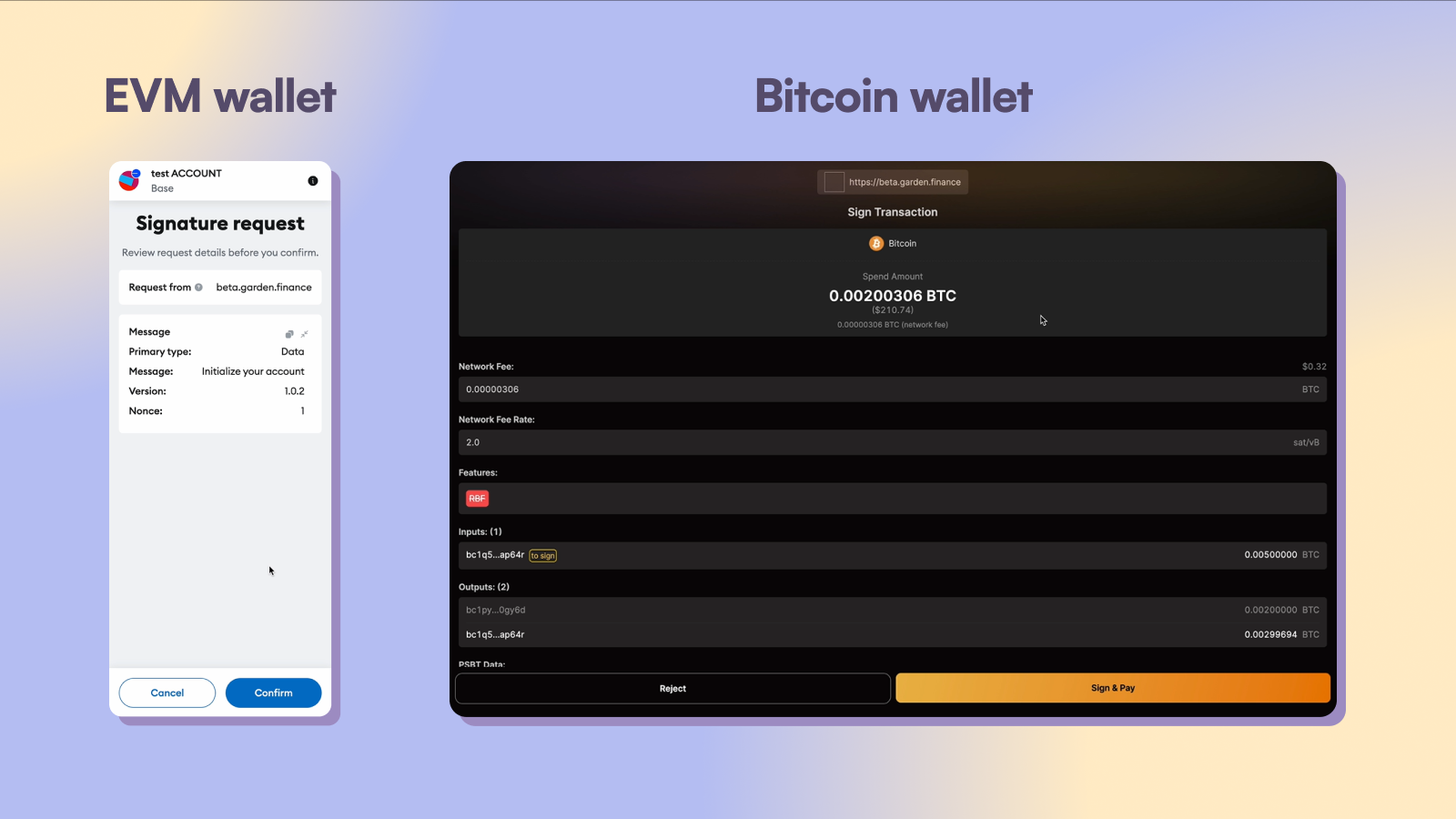
1. **EVM Wallet**: First, approve the transaction in your EVM wallet
2. **Bitcoin Wallet**: Then approve and send the Bitcoin transaction
1. Review the swap details:
* **Exchange rate**: Current BTC to WBTC rate
* **Fees**: Network fees and Garden protocol fees
* **Estimated completion time**: Usually under 30 seconds
2. Click **Swap** to proceed
1. **EVM Wallet**: First, approve the transaction in your EVM wallet
2. **Bitcoin Wallet**: Then approve and send the Bitcoin transaction
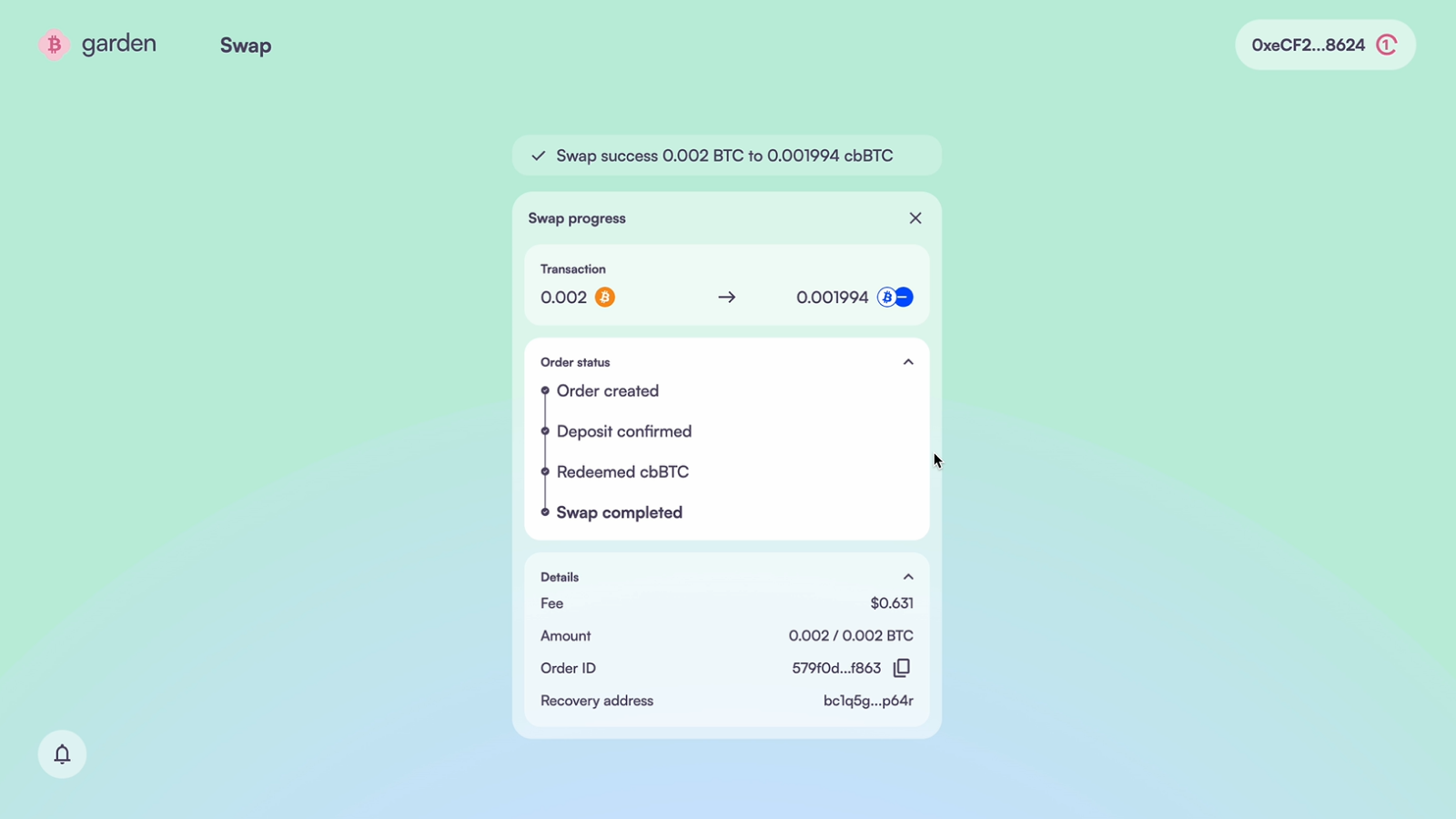
 Keep the browser tab open while the swap processes. You'll see real-time updates and receive a notification when complete.
 ## Method 2: Manual Bitcoin Transfer
If you prefer not to connect your Bitcoin wallet, you can send Bitcoin manually.
1. Visit [Garden Finance](https://app.garden.finance)
2. Connect only your **EVM wallet** (skip Bitcoin wallet connection)
1. Enter your **Bitcoin refund address** manually
2. This is where your BTC will be returned if the swap fails
3. **Double-check this address** - incorrect addresses cannot be recovered
## Method 2: Manual Bitcoin Transfer
If you prefer not to connect your Bitcoin wallet, you can send Bitcoin manually.
1. Visit [Garden Finance](https://app.garden.finance)
2. Connect only your **EVM wallet** (skip Bitcoin wallet connection)
1. Enter your **Bitcoin refund address** manually
2. This is where your BTC will be returned if the swap fails
3. **Double-check this address** - incorrect addresses cannot be recovered
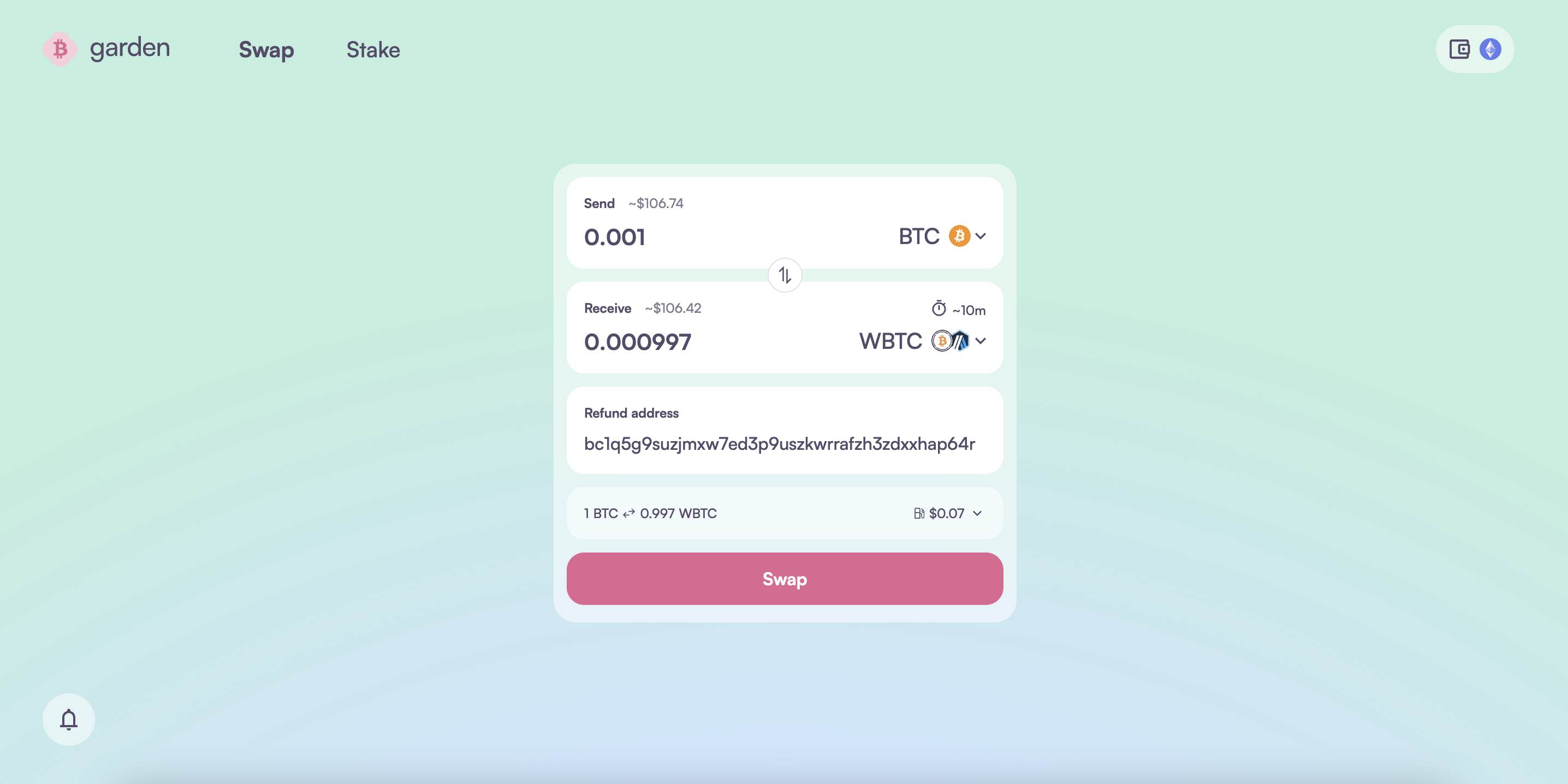 1. Configure your swap (BTC to WBTC)
2. Enter the amount and click **Swap**
3. Approve the transaction in your EVM wallet
1. Copy the **Bitcoin deposit address** shown on the swap page
2. Send the **exact BTC amount** from your Bitcoin wallet to this address
3. **Important**: Send the exact amount shown - sending more or less may cause issues
1. Configure your swap (BTC to WBTC)
2. Enter the amount and click **Swap**
3. Approve the transaction in your EVM wallet
1. Copy the **Bitcoin deposit address** shown on the swap page
2. Send the **exact BTC amount** from your Bitcoin wallet to this address
3. **Important**: Send the exact amount shown - sending more or less may cause issues
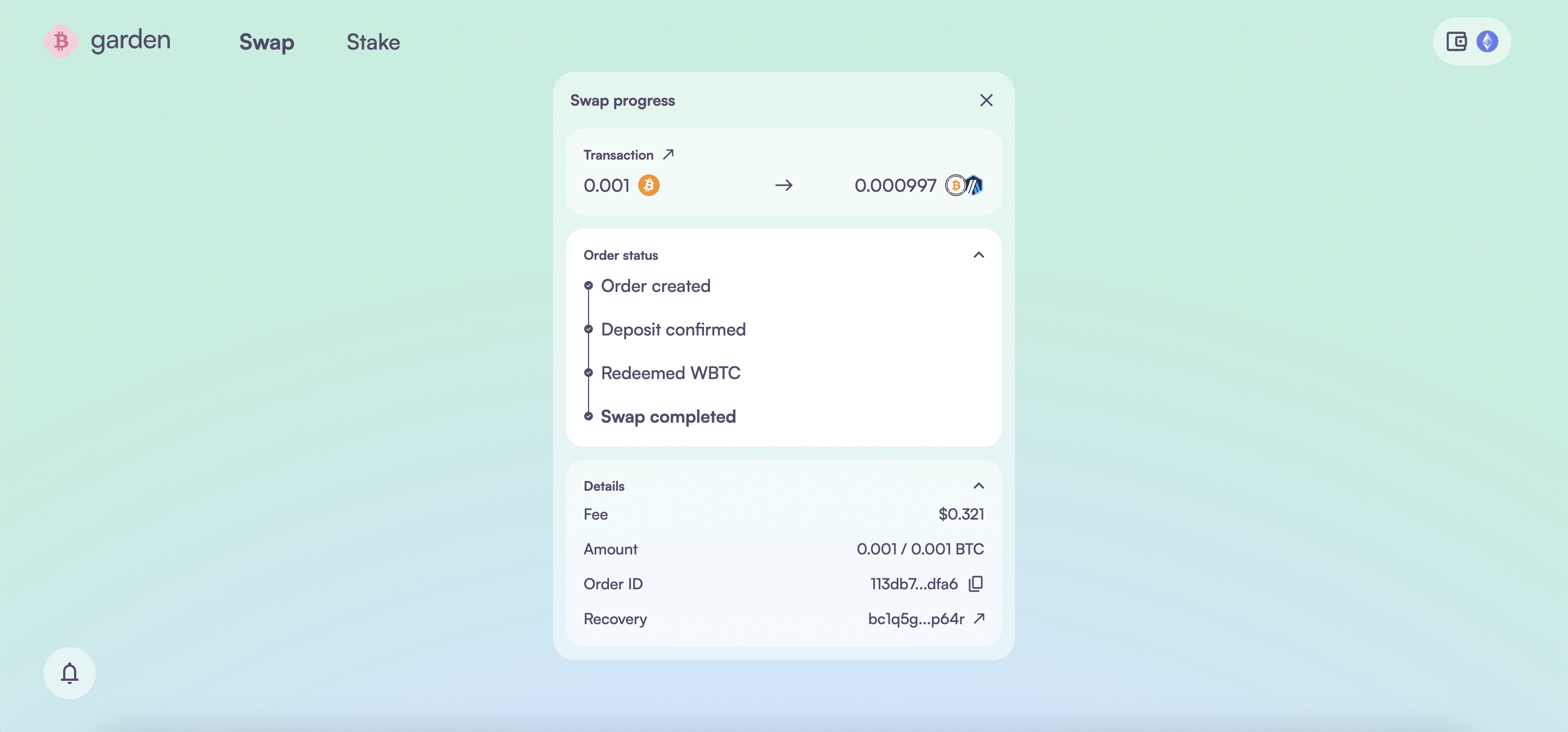
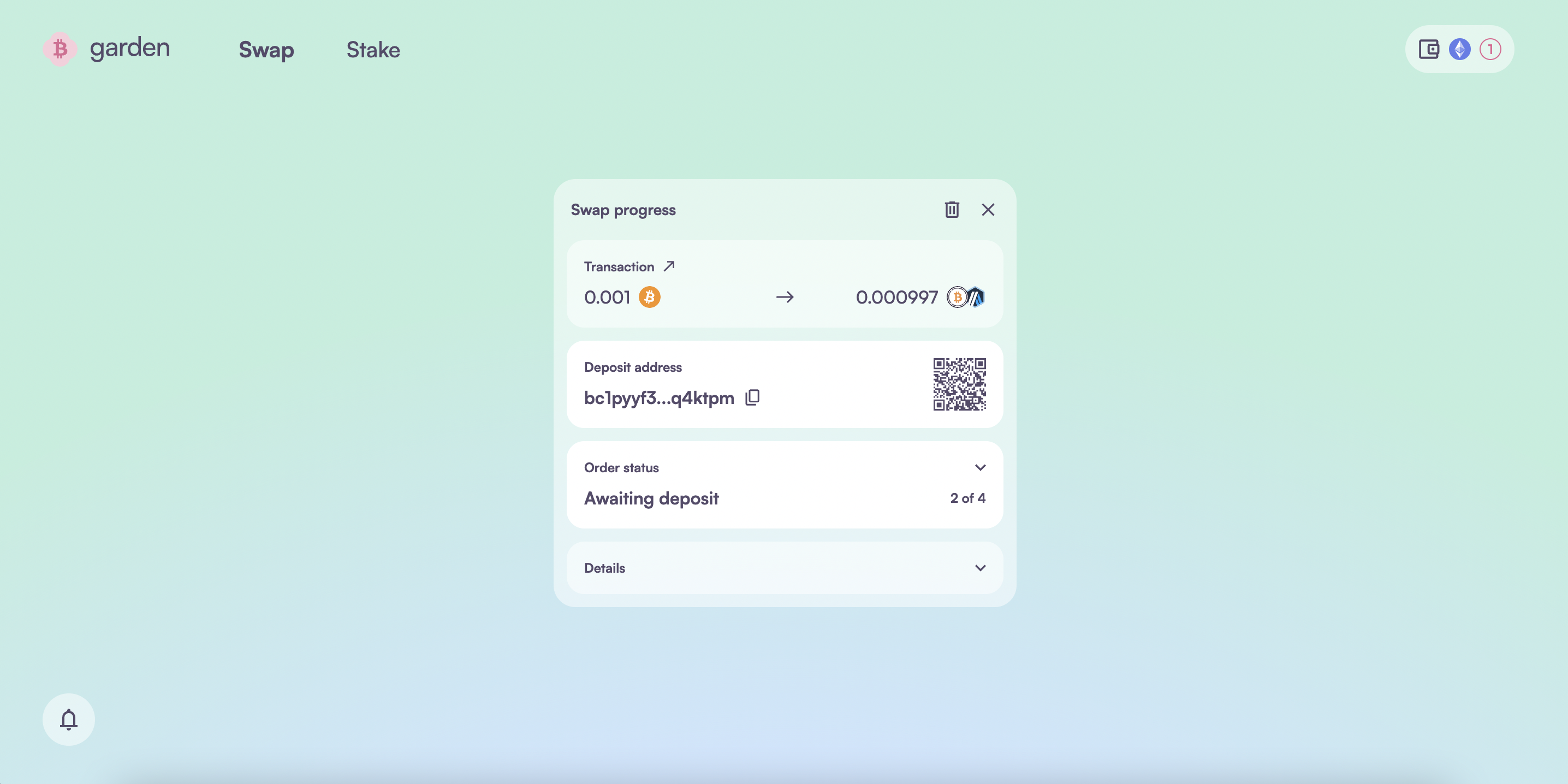 Monitor the swap progress on the page. The swap will complete once the solver receives your Bitcoin.
 ## Understanding WBTC
**Wrapped Bitcoin** is an ERC-20 token backed 1:1 by Bitcoin, allowing BTC to be used in Ethereum DeFi protocols.
**DeFi Integration**: Use WBTC in lending protocols, DEXs, yield farming, and other DeFi applications.
## Network Options
### Ethereum
* **Pros**: Largest DeFi ecosystem, highest liquidity
* **Cons**: Higher gas fees
* **Best for**: Large swaps, maximum DeFi compatibility
### Arbitrum
* **Pros**: Lower fees, faster transactions
* **Cons**: Smaller ecosystem than Ethereum
* **Best for**: Smaller swaps, cost-efficient transactions
## Important Notes
**Exact Amounts**: When sending Bitcoin manually, always send the exact amount shown. Sending more or less than the specified amount can cause delays or require manual intervention.
**Security**: Garden uses atomic swaps, meaning your Bitcoin is never at risk. If the swap fails, your BTC will be automatically refunded to your specified address.
**First-Time Users**: The first transaction may take slightly longer due to blockchain confirmations. Subsequent swaps in the same session are faster.
## Next Steps
After receiving your WBTC:
* **Ethereum WBTC**: Can be used immediately in Ethereum DeFi protocols
* **Arbitrum WBTC**: Can be used in Arbitrum DeFi protocols or bridged to other networks
* **Track Your Assets**: WBTC will appear in your EVM wallet on the selected network
## Need Help?
* **Questions**: Join our [Discord community](https://discord.gg/B7RczEFuJ5)
* **Technical Issues**: Reach out for [support on Discord](https://discord.gg/B7RczEFuJ5)
Want to swap back? Check out our guide on [how to swap WBTC to BTC](/home/resources/guides/swap/wbtc-btc).
## Understanding WBTC
**Wrapped Bitcoin** is an ERC-20 token backed 1:1 by Bitcoin, allowing BTC to be used in Ethereum DeFi protocols.
**DeFi Integration**: Use WBTC in lending protocols, DEXs, yield farming, and other DeFi applications.
## Network Options
### Ethereum
* **Pros**: Largest DeFi ecosystem, highest liquidity
* **Cons**: Higher gas fees
* **Best for**: Large swaps, maximum DeFi compatibility
### Arbitrum
* **Pros**: Lower fees, faster transactions
* **Cons**: Smaller ecosystem than Ethereum
* **Best for**: Smaller swaps, cost-efficient transactions
## Important Notes
**Exact Amounts**: When sending Bitcoin manually, always send the exact amount shown. Sending more or less than the specified amount can cause delays or require manual intervention.
**Security**: Garden uses atomic swaps, meaning your Bitcoin is never at risk. If the swap fails, your BTC will be automatically refunded to your specified address.
**First-Time Users**: The first transaction may take slightly longer due to blockchain confirmations. Subsequent swaps in the same session are faster.
## Next Steps
After receiving your WBTC:
* **Ethereum WBTC**: Can be used immediately in Ethereum DeFi protocols
* **Arbitrum WBTC**: Can be used in Arbitrum DeFi protocols or bridged to other networks
* **Track Your Assets**: WBTC will appear in your EVM wallet on the selected network
## Need Help?
* **Questions**: Join our [Discord community](https://discord.gg/B7RczEFuJ5)
* **Technical Issues**: Reach out for [support on Discord](https://discord.gg/B7RczEFuJ5)
Want to swap back? Check out our guide on [how to swap WBTC to BTC](/home/resources/guides/swap/wbtc-btc).